Diablo Tools
Summer 2026 Internship in User Experience Design and User Research. The following is a case study for a Link-in-Bio page redesign that I created for Diablo Tools’ Social Media team. Please view my resume for details on other projects (mobile app design, user surveys, landing pages, user personas, etc.).
Date
May-July 2026
Tools
Figma, FigJam, HubSpot
HotJar, Google Analytics, Excel, Google Gemini, Miro
Designing a Clearer Path to Product
For this project, I collaborated with the Social Media team to redesign their Link-in-Bio page and create an intuitive way for users to discover products.
The redesign focused on improving the visual hierarchy, simplifying product discovery, and a delivering a refreshed interface that better reflected Diablo Tools' brand identity. The result was a more cohesive experience that connected social media content with relevant products.
Problem
The Link-in-Bio page serves as a key touchpoint between Diablo Tools’ social media content and its products. However, cluttered layouts, weak visual hierarchy, and an excessive use of accent colors made navigation difficult. The goal was to create a cleaner, more intuitive experience that guided users toward key content.
Diablo Tools Social Links Page (Before)
Diablo Tools Social Links User Perspective Video
Research
I explored Hotjar heatmaps and engagement data to understand how users interacted with the existing page. Low click-through rates suggested that page wasn't effectively directing users toward important content, reinforcing the need for clearer navigation and visual hierarchy.
Understanding User Behavior
I analyzed five brands' social-link pages, including Bosch and Milwaukee, to identify common design patterns. I found that the recurring three-column layout offered a familiar, scannable way to organize content. This insight helped inform my initial wireframes, allowing me create a structure that felt intuitive while still being tailored to the Diablo Tools brand.
Learning from Competitors
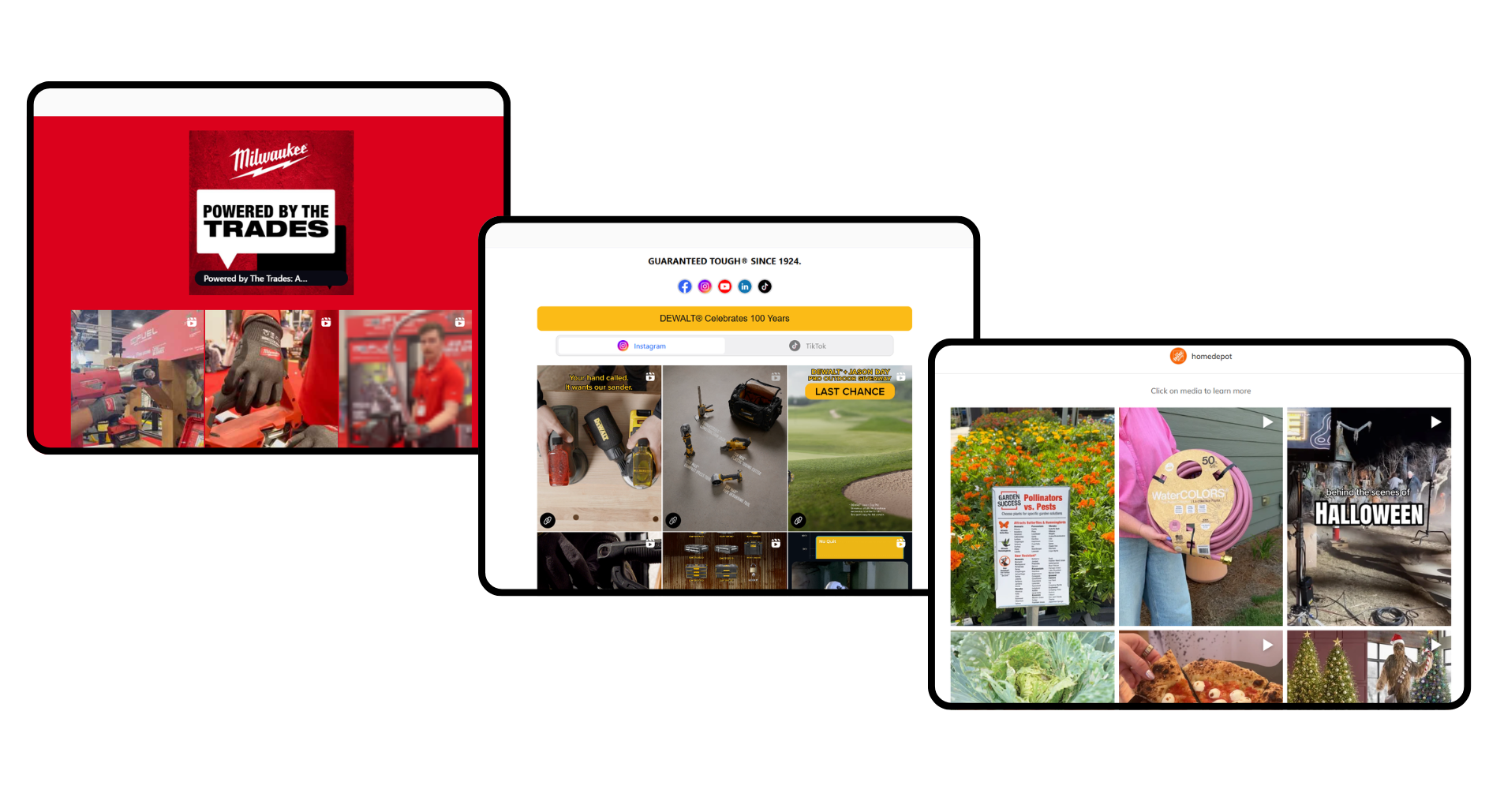
Milwaukee, Dewalt, and Home Depot’s Social Links Pages
Collaboration
Turning Team Goals into Design Decisions
I led ideation meetings with the Social Media team to better understand the page’s purpose and desired user actions. When the team proposed a banner-heavy layout, I recognized that this approach could contribute to visual clutter and make product discovery more difficult.
Initial Direction
My Recommendation
I presented an alternative design recommendation to the team, advocating for an improved user experience through an improved visual hierarchy.
After communicating my design rationale, the team approved my recommendation and I translated these goals into wireframes that simplified the user journey and prioritized product discovery.
01 — Maintaining the red accent of previous designs
02 — 4-Panel Content, visually overwhelming
03 — Visual Banner, heavy CSS and draws attention more than the products
02 Ideate
Wireframes, Figma, and Prototyping
The initial designs incorporated the social media team’s key requests: highlighting the top four seasonal products and creating dedicated pages with product-specific banners and content.
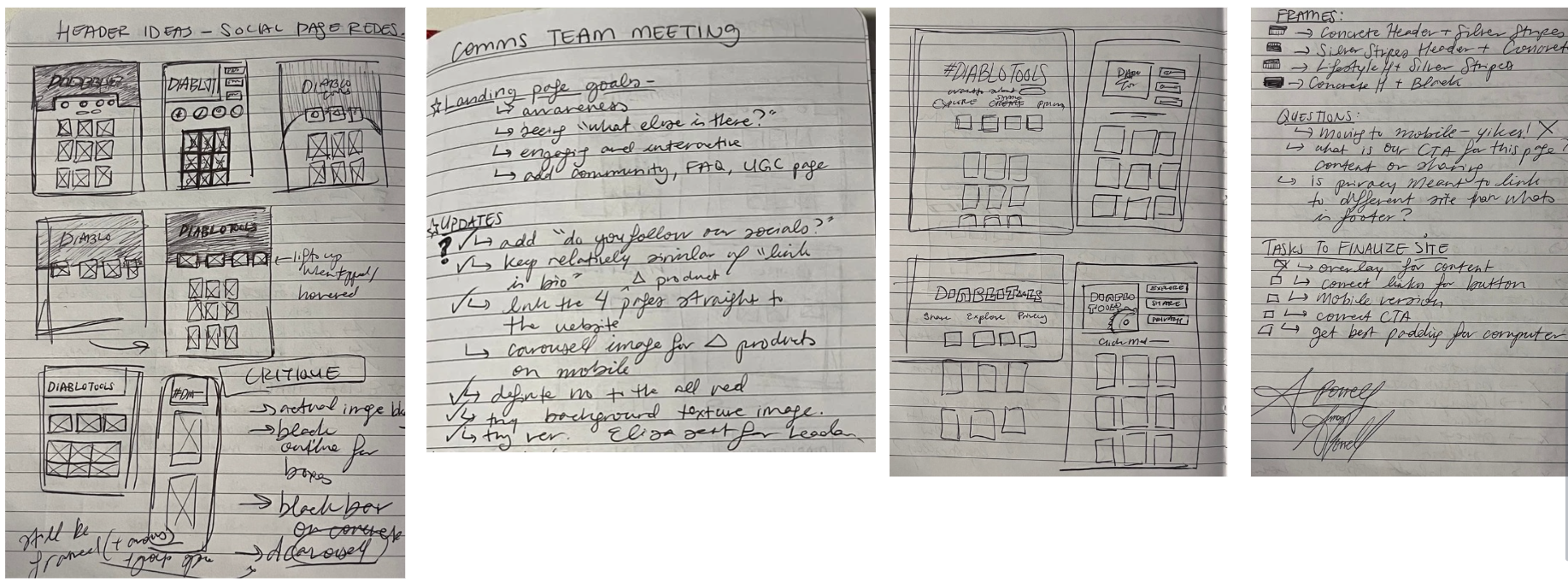
I began with quick paper wireframes to explore different layouts and page structures before moving into Figma, where I applied the Diablo Tools brand palette and began refining the designs.
Paper Wireframes and Meeting Notes
Version 1.0 Figma Wireframes
Version 1.0 Prototype Video
Design Iterations
During the design process, I questioned the value of creating dedicated banner pages for the top four products when those pages already existed elsewhere on the Diablo Tools website. Adding another step to the user journey provided little additional value, so I proposed removing the pages and directing users to the relevant product information instead.
After collaborating with the social media team, we aligned on a simplified user journey that supported both user needs and the team’s goals. With this updated direction, I created 13 design variations and presented them to the social media team for feedback.
What changed with each iteration, and why?
Clearer Visual Hierarchy
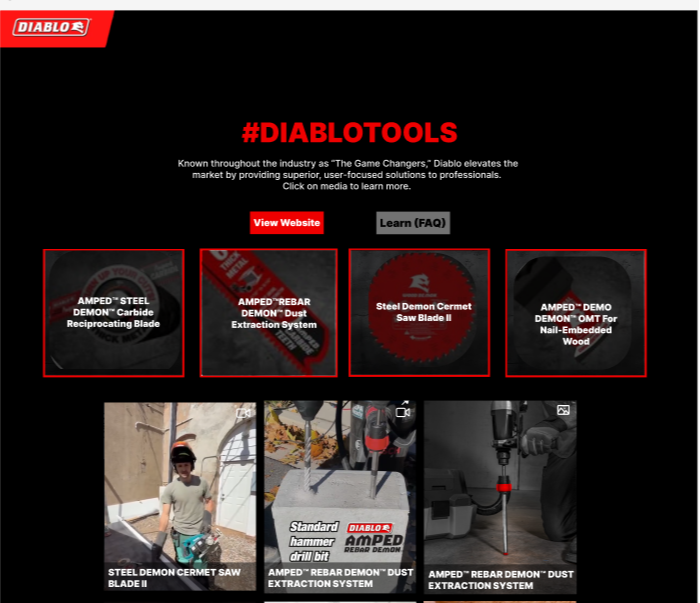
A three-column layout organizes content into easily scannable sections, reducing visual clutter. A more intentional use of red creates emphasis without overwhelming the page.
More Intuitive Interactions
Hover states help users identify featured products and understand where to click.
A Direct Path to Products
Direct product links make it easier for users to move from social media content to product pages.
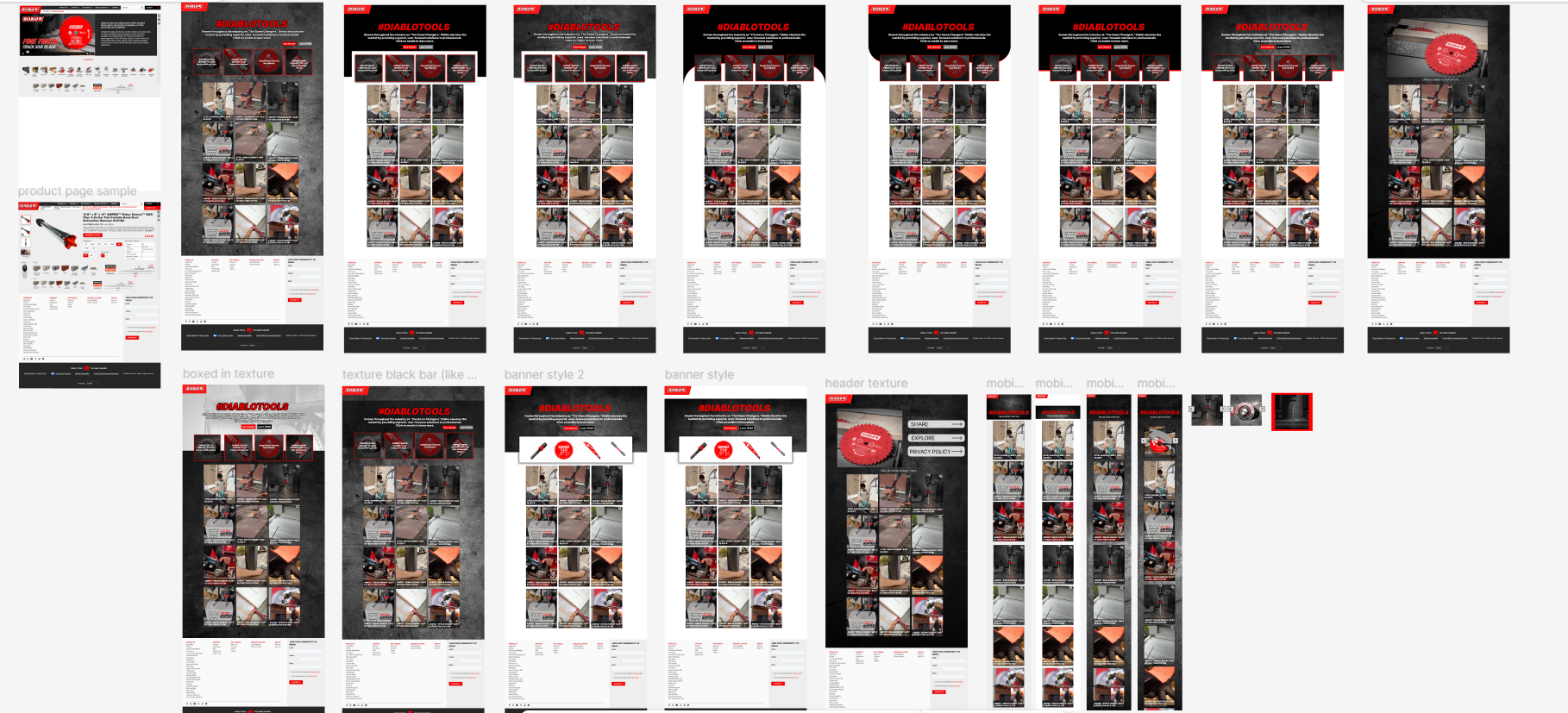
Design Iterations Wireframes and Video Prototypes
03 Functional Prototyping
Moving the Designs to the Site
Once the designs were refined, I brought them into HubSpot using its website-building tools to translate my concepts into functional pages. Building the designs in the platform allowed me to evaluate each option in a more realistic context and understand how users would experience the different layouts.
I created 10 variations that explored consistent rectangular layouts alongside different backgrounds and visual treatments. After several follow-up conversations with the social media team, we narrowed the options down to our top four before selecting a final design that best balanced the team’s goals with a clear and engaging user experience.
The Top Four Selected Designs
04 Final Product
Due to the timeline of my internship, the development team continued making updates to the site after my project concluded. The final design is currently housed within Diablo Tools’ systems and is planned for a future launch. Once live, user engagement data can provide valuable insight into how users interact with the new experience and inform future iterations of the Social Links page.
The Finished Site and Next Steps
The final Link-in-Bio experience brings together the social media team’s goals with a more intentional, user-centered design. The key features of the final site include:
Interactive hover states that highlight featured products and make their purpose immediately clear
Direct product links that reduce friction and connect users to relevant pages on the Diablo Tools website
A three-panel layout that creates a clean, familiar structure and improves content hierarchy
The result is a cleaner, more engaging experience that gives users a clearer path from social media to the products and content they’re looking for.
Next Project…